



Hinge Austria SMS Number: practical guide for readers
A clear, reader-focused buyer’s guide for understanding Hinge Austria SMS Number, with practical steps, options and tips for news readers.

What you gain from this guide is a clear picture of what the Hinge Austria SMS Number is used for, how it works, and why it matters for readers who encounter it in news stories or online messages. You’ll learn when an SMS number is trustworthy, when to verify it, and how to avoid common misuses. This is designed for practical decision-making, not hype.
First, we outline the basics: what the service is, who controls it, and what kinds of risks or benefits appear in real-world use. Second, we compare common methods of verification and contact routes, with concrete examples. Third, we walk through practical steps to assess legitimacy and protect your information while staying informed.
Finally, you’ll see step-by-step checks, potential pitfalls, and a checklist you can reference quickly when a message or link mentions the Hinge Austria SMS Number. The goal is to empower readers to respond calmly and accurately in a fast news environment.
- The piece explains what the Hinge Austria SMS Number is, how it works, and how to handle it safely. It compares verification methods and offers practical steps for readers. You will find concrete tips, practical boxes, and a quick checklist.
- It emphasizes staying within official app paths, using alternatives to SMS when possible, and avoiding common pitfalls in high-pressure situations.
- Readers will learn how to assess legitimacy, protect their data, and report suspicious activity through reliable channels.
Basics of the option
What the service is used for
The Hinge Austria SMS Number is presented as a contact method within apps or messages. It may be used for identity verification, alerts, or customer support. Understanding its role helps determine whether a message is legitimate or part of outreach.
In practice, users should expect clear prompts, consistent branding, and verifiable contact paths. If the number appears in a random chat or a dubious link, pause and verify through official channels.
Be cautious of messages that press for quick action or request sensitive data; those are common signs of a scam or phishing attempt.
- Look for official branding and consistent contact details
- Check the sender through the app's own help section
- Avoid sharing passwords or PINs via SMS
- Use two-factor prompts only from trusted apps
- Report suspicious messages to the platform
How verification works
Verification through SMS usually involves a code sent to the registered number or a confirmation link. The process should be straightforward and time-limited to prevent reuse. Ambiguity or long delays are warning signs.
In real-world cases, users report success when they follow official prompts and ignore unsolicited requests. Trust grows when the message aligns with prior communication from the service.
Always ensure you’re completing a verification on a legitimate screen, not a copycat page designed to capture codes or credentials.
- Expect a short code with a narrow expiry
- Cross-check the source within the app
- Do not reuse codes from old messages
- Use the app’s built-in verification instead of third-party sites
- Report suspicious codes to the service
How readers see it

Context in reporting
News coverage often mentions verification steps when reporting on scams or data breaches. Readers expect clear explanations of what SMS numbers mean in each story. This helps avoid confusion during breaking news.
Explain how different services handle user data and consent. If a number is used for alerts, specify what kind of alerts and how to opt out.
Highlight practical steps readers can take if they receive a suspicious message linked to the number.
- Explain data handling and consent clearly
- Describe the user’s practical options
- Offer a simple checklist for immediate action
What to verify
Always confirm the platform showing the number is legitimate before acting. Use the official app store listing, the company’s help pages, or known press to cross-check. This reduces clicks into phishing sites.
Consider the timing and context: unexpected messages about security or payments often require extra care. If something feels off, pause and verify through a separate channel.
Readers should remember that legitimate services rarely demand sensitive data by SMS alone.
- Cross-check the source using official channels
- Pause for verification during urgent requests
- Be wary of links in messages
- Use direct contacts rather than reply threads
Practical options
Best verification paths
Choose verification paths that stay within the app’s own flow. This minimizes exposure to external websites and potential trackers. A trusted app will guide you to use its built-in features.
If you must use SMS, ensure the number is the one shown in the official app settings and that the message comes from the expected sender.
When in doubt, opt for an in-app notification or a secure authenticator app instead of SMS for critical actions.
- Use in-app prompts first
- Verify sender within the app
- Prefer authenticator apps over SMS for critical tasks
| Method | Pros | Cons |
|---|---|---|
| In-app verification | Less risk of phishing | Requires app access and stable service |
| SMS verification | Widely supported | Higher risk and potential delays |
| Authenticator apps | Strongest security | Requires setup and management |
Alternatives to SMS verification
Some services rely on app-based alerts, email confirmations, or push notifications. These methods reduce exposure to SIM swap risks and phishing attempts. For readers, this often means fewer steps and clearer control over data.
Identify which methods a service supports and choose the safest option available. For high-stakes actions, prefer methods that keep sensitive data within the service’s own ecosystem.
Always keep recovery information up to date so you can regain access without relying on a single channel.
- Prefer push or in-app alerts
- Keep recovery options current
- Limit SMS-based alerts to non-critical tasks
Many readers misjudge SMS risk; a short code can lead to credential theft if misused.
Pitfalls to avoid
Common errors
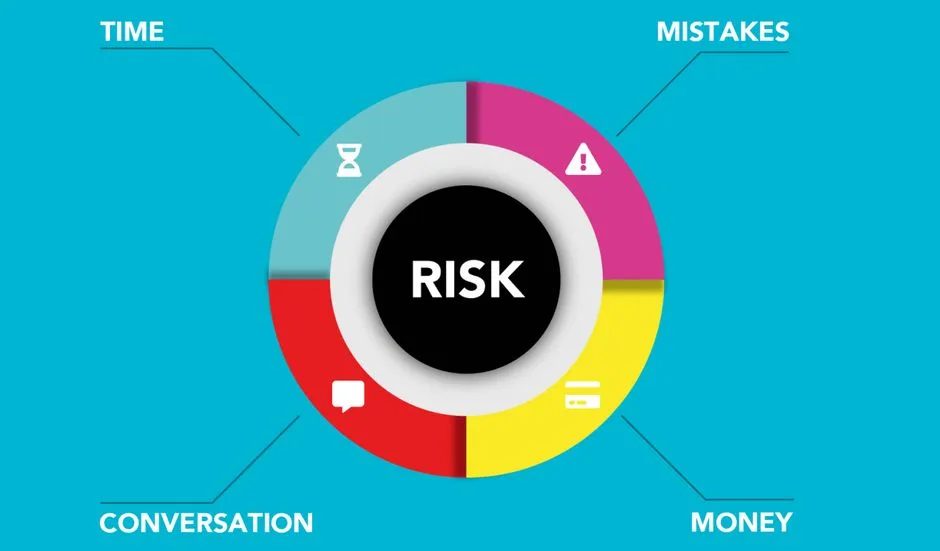
Many readers misjudge SMS risk; a short code can lead to credential theft if misused. Treat any unexpected prompt with caution and verify through separate channels.
Mistakes include clicking links in SMS, replying with personal data, or using the same code across sites. These habits build exposure to fraud.
Rushed responses in breaking news can amplify risk, so slow down and validate before acting.
- Don’t click unexpected links
- Don’t share codes
- Don’t reuse codes across sites
Red flags
Look for inconsistent branding, unexpected sender names, or messages that demand immediate action. These patterns often precede scams. Clear, consistent prompts are the norm for legitimate services.
If the message asks for personal details or passwords, treat it as suspicious and disengage. Verify via the service’s official channels instead.
Always review the full URL, not just the domain name, when a link is involved. A legitimate page will mirror the service’s own domain and branding.
- Inconsistent branding raises doubt
- Urgent action requests are a warning sign
- Avoid entering sensitive data via SMS links
How to verify after a skip
Verification steps after skipping
Begin with a direct check of the service status and any official notices about outages or maintenance. Compare multiple sources to confirm what happened and when it occurred. This helps readers assess whether the issue is local or widespread.
If you rely on timelines, map the skip to changes in your own setup—network routing, SIM changes, or app updates. Document the exact time, device, and operating system so readers can reproduce the check. This transparency supports accurate reporting.
Finally, test alternatives to confirm the root cause, such as trying another number, a different browser, or a separate device. Record what works and what doesn’t to guide readers on practical next steps.
- Check service status on official channels
- Note time, device, OS used
- Test alternatives to isolate the cause
User privacy considerations
Handling personal data
Carefully review what information is collected during the process of verification. Avoid sharing sensitive details unless necessary for the reader’s understanding. Focus on the steps and outcomes rather than personal identifiers.
- Explain what data is collected and why.
- Describe access controls and retention.
- Encourage sharing only non-identifiable details.
Explain how data may be stored, who can access it, and for how long. Emphasize user rights to deletion or correction where applicable. This keeps the tone factual and respectful.
Provide concrete examples of what to avoid sharing publicly, such as full phone numbers, addresses, or private messages, and suggest redacted formats or summaries instead.
- Avoid exposing personal data
- Explain data retention clearly
- Suggest redaction practices
The section should offer a practical privacy checklist readers can apply immediately. It should cover app permissions, data sharing with third parties, and how to review privacy settings after a skip. Include a quick test readers can run to confirm their data exposure is limited.
Provide a short glossary of common privacy terms relevant to this topic, so readers understand terms like metadata, opt-in, and anonymization.
Conclude with a reminder to revisit privacy settings after any service disruption, ensuring that defaults stay protective.
Legal and policy notes
Policy basics for readers
Outline the governing rules that affect verification, data handling, and reporting. Explain how terms of service and platform policies shape what readers can expect when using a service that provides numbers or codes.
Describe relevant legal concepts in plain language, such as user rights, notice requirements, and jurisdictional differences. The goal is to clarify what readers can reasonably rely on when things go wrong.
Illustrate with common scenarios where policy boundaries matter, such as data retention disputes or service interruption disputes, to ground the explanation in reality.
- Identify applicable terms of service
- Clarify user rights under policy
- Explain jurisdictional limits
Highlight any recent changes to policies that affect readers, including updates to privacy or data-sharing rules. Explain how those changes could alter expectations during a skip event and what to watch for in official communications.
Provide tips for readers on how to document policy changes for future reference, such as saving links and dates. The aim is to help readers stay informed without becoming overwhelmed by legal detail.
Close with a practical takeaway: when in doubt, rely on the most recent official notice and seek clarification from the service provider if language is ambiguous.
Reader actions and follow-up

What readers should do next
Summarize the practical steps a reader should take after a skip. Start with immediate checks, then document results, then contact support if issues persist. The emphasis is on clear, reproducible steps that readers can follow without ambiguity.
- Check service status and outages.
- Test alternative devices or networks.
- Document results and timing.
- Contact support with a concise summary.
Offer a template for notes or a short form readers can fill out: time, device, app version, error messages, and any changes made to settings.
Explain how to escalate concerns if the issue is unresolved, including how to frame a request for assistance and what kind of response to expect.
- Document time and device
- Record error messages
- Escalate with a clear request
End with a reminder to keep the channel of communication open. Readers should monitor official updates and community forums for corroborating information. Emphasize patience, but also the importance of timely follow-up before problems compound.
Suggest a simple habit: after any skip incident, note any changes in behavior or access, and review privacy and policy notes to ensure continued alignment with expectations.
Close with a practical call to action: set a reminder to check for updates within 24 hours and share any new information with the newsroom where appropriate.
Frequently asked questions
What does a skip refer to in this guide?A skip describes a temporary lapse or interruption in access to a service or number. The article explains how readers can verify what happened, protect their data, and decide how to respond. The focus is on practical steps, not speculation, so readers know what to check and how to proceed.
Which sources are most trustworthy for updates?Trustworthy updates come from official channels, such as the service provider’s notices and government alerts when applicable. Cross-check with multiple credible outlets to confirm timing and scope, but prioritize primary statements over secondhand reports.
What should I do if the issue returns?Re-verify the issue from a clean starting point, document changes, and test alternatives again. Create a short log to identify patterns, and escalate with a concise history if necessary. Persistent problems may require coordinated support from the provider.
How can I protect my privacy during verification?Limit sharing identifying details, use redacted descriptions, and review app permissions. Disable unnecessary data sharing and rely on official apps and secure channels when communicating. This reduces exposure while you troubleshoot.
Next steps for readers
Readers should apply the verification steps and privacy checks as part of routine service use, especially during outages or skips. The action is to stay informed, document findings, and use official channels for updates. This builds a reliable personal process while contributing to public accuracy.
The practical next step is to keep a simple log, review applicable policies, and prepare a concise report if issues persist. By following a steady routine, readers can minimize confusion and help newsroom coverage stay precise and timely.
Readers interested in this subject may also want to explore Hinge International Verification Number için net for additional perspectives.
For a deeper understanding of this topic, Hinge OTP Verification Tool: a practical offers valuable insights worth exploring.
Readers interested in this subject may also want to explore Hinge Access Verification ile Finansal Güvencenizi for additional perspectives.
Add Manchester News as a preferred source on Google


